Working a Lead
The most common situations, and exactly what to click in each
Every lead starts the same way: open the top lead in Action required, skim the thread, and check Info → Lead form to see what they told you. Then reach out.
What you click next depends on what happens. Below are the most common situations, most common first. Purple outlines show where to click.
Called but they didn't answer
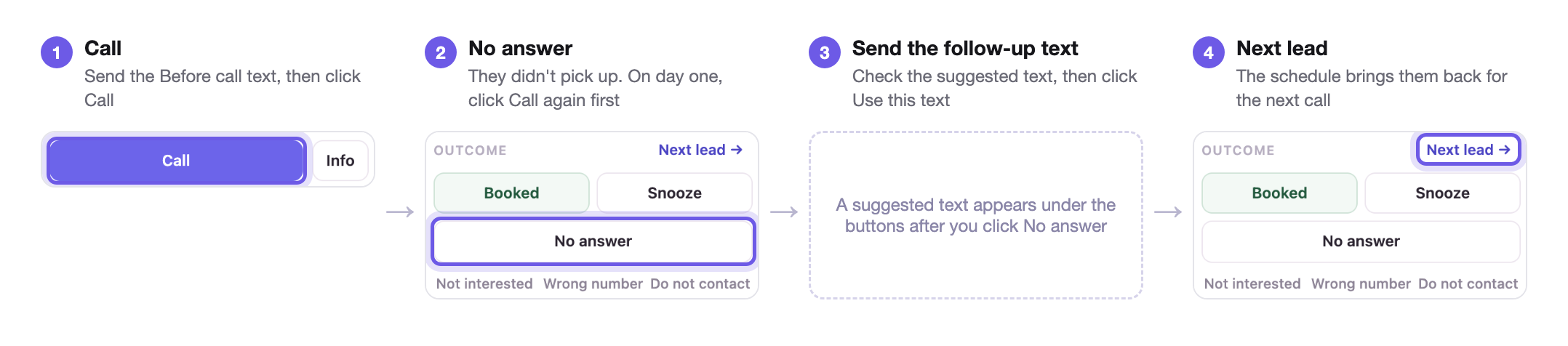
Send the Before call heads-up text, then click Call.
No pickup? On a lead's first day, click Call again right away (twice a day: morning and afternoon). Then click No answer.
A suggested follow-up text appears. Check it, then click Use this text.
Click Next lead →. The call schedule brings them back for the next call. Never snooze a lead just to remember it.
They answered and booked
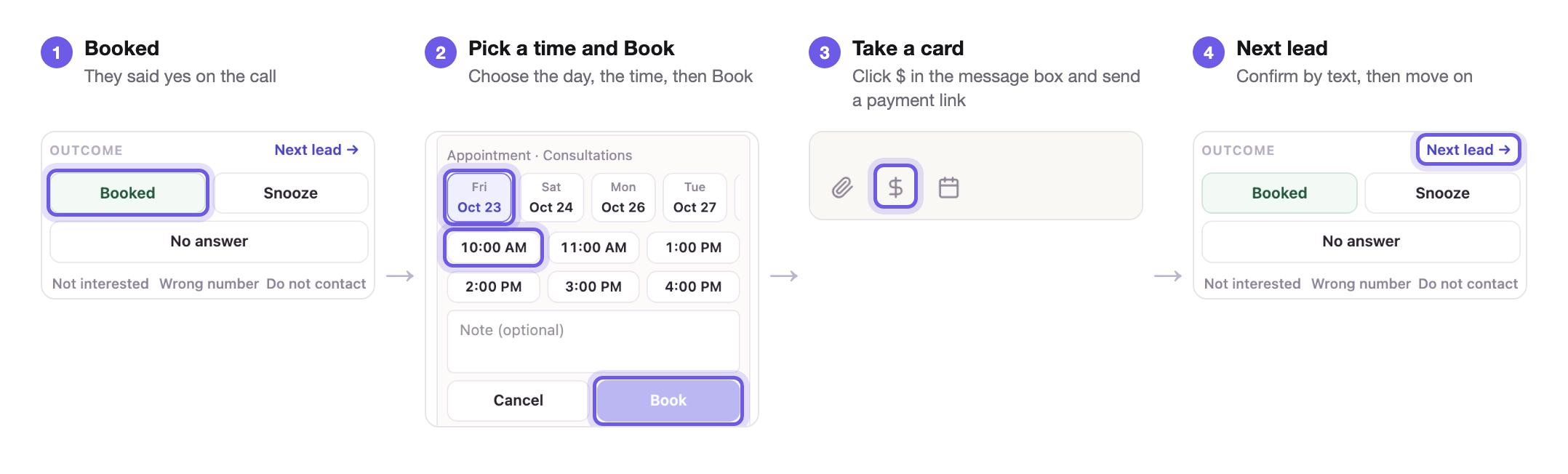
Click Booked.
Pick the day and the time, then click Book. If your clinic books in its own system, book it there first, then enter the same time here (see Booking an Appointment).
Take a card while you're still on the phone: click $ in the message box and send a payment link (see Taking a Card or Deposit).
Text them the confirmation, then click Next lead →.
The same goes for a Hot lead Ivy hands you: call them now, and when they say yes, follow these steps.
They want a call back at a set time
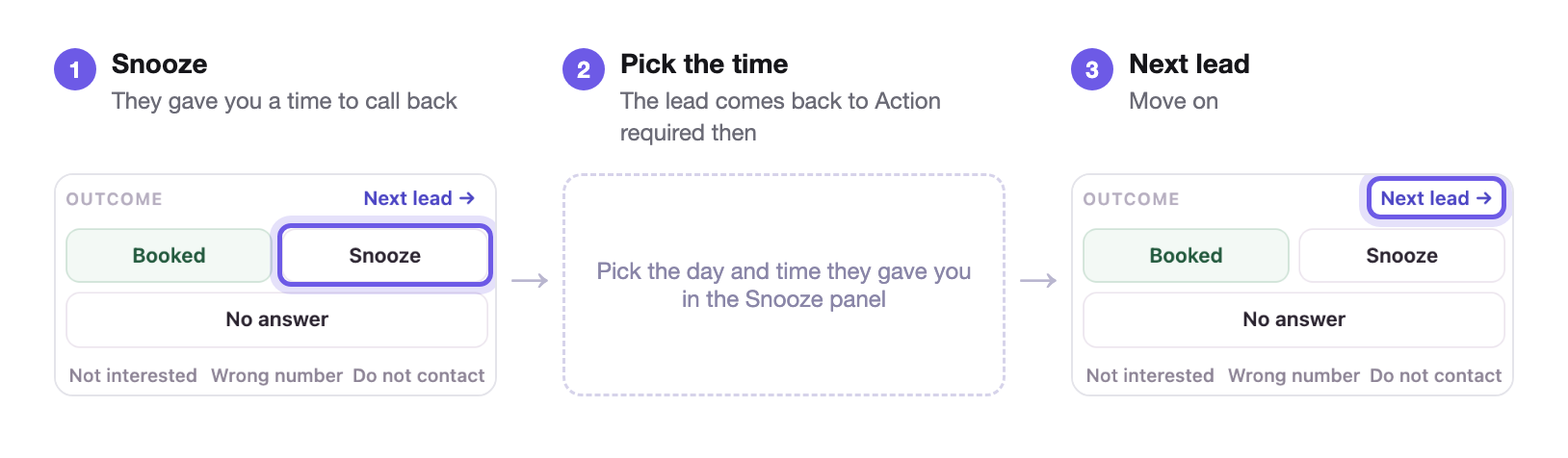
Click Snooze.
Pick the day and time they gave you. The lead comes back to Action required then.
Click Next lead →.
Only snooze when they gave you a specific time. "I'll get back to you" is not a time: click Next lead → and let the schedule and Ivy follow up.
They texted back
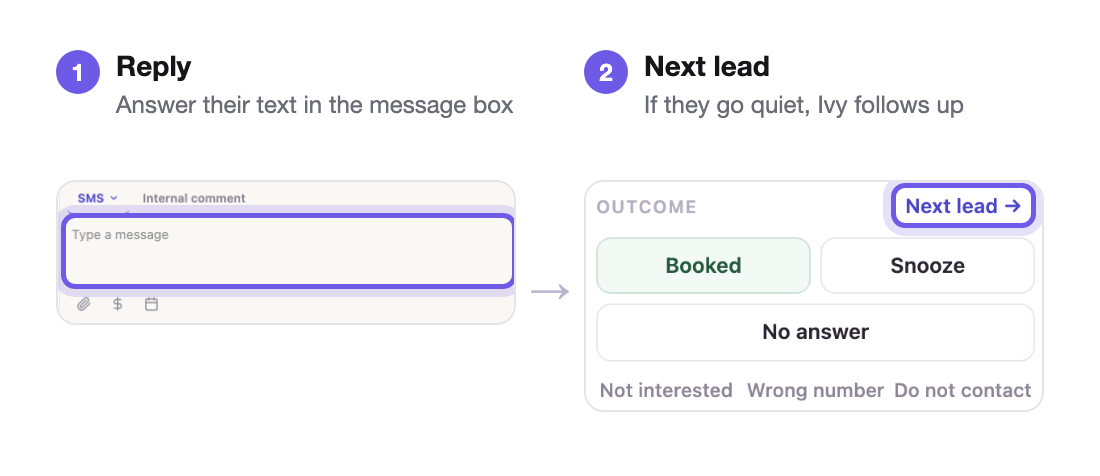
Answer their text in the message box. Call them if you can: they're engaged right now.
Click Next lead →. If they go quiet, Ivy follows up and the lead comes back when it needs you.
They said no, it's the wrong number, or they asked you to stop
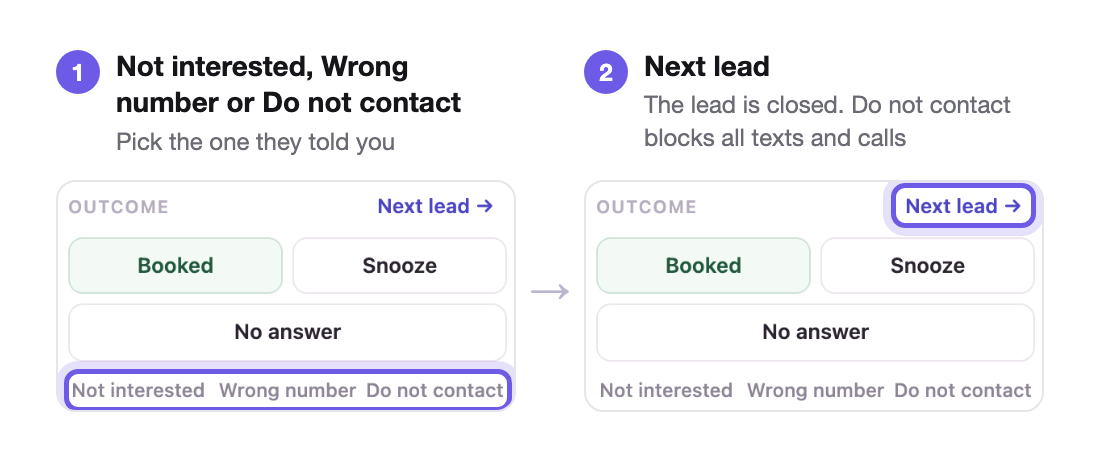
Click the one that matches: Not interested, Wrong number, or Do not contact.
Click Next lead →. The lead is closed. Do not contact also blocks every text and call.
A booked lead wants a new time or cancels
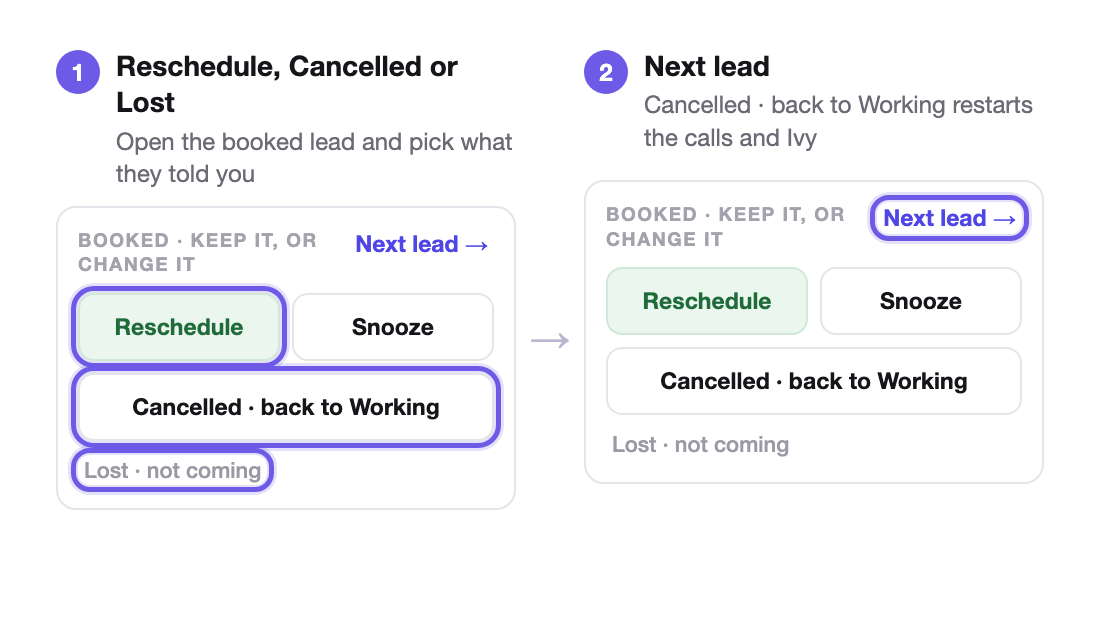
Open the lead and click what they told you:
Reschedule for a new time.
Cancelled · back to Working if they might rebook. The call schedule and Ivy pick back up.
Lost · not coming if they won't rebook.
Click Next lead →.
After the appointment
30 minutes after the appointment time, the lead comes back to Action required as Appointment passed · record outcome.
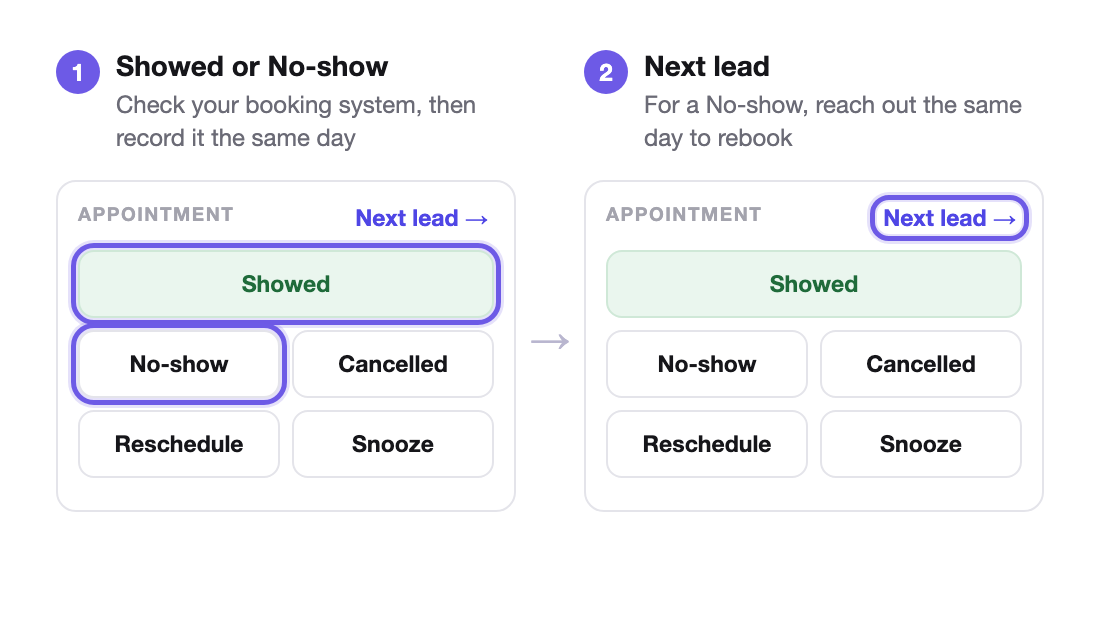
Check your booking system, then click Showed (and enter what they spent) or No-show. Do it the same day: your show rate and revenue in Reports come from these clicks.
Click Next lead →. For a No-show, reach out the same day to rebook (see After Booking).
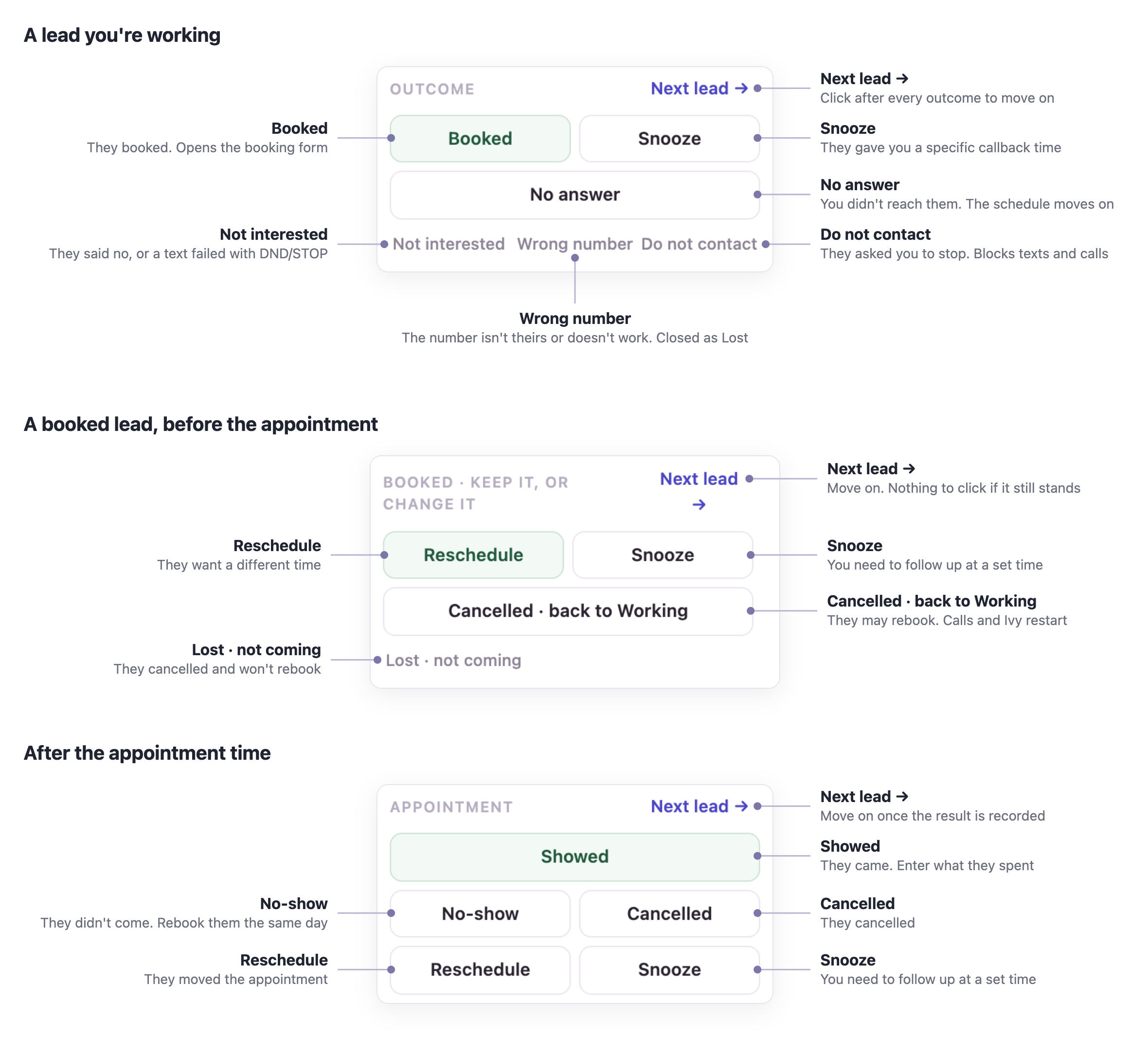
Every outcome button
The buttons change with where the lead is. Here is every one, in each stage.
Did this answer your question?
Thanks for your feedback!