Conversations Overview
The three columns of the Conversations screen, and the call icons
Conversations is where everything happens, from contacting leads to booking appointments and recording outcomes.
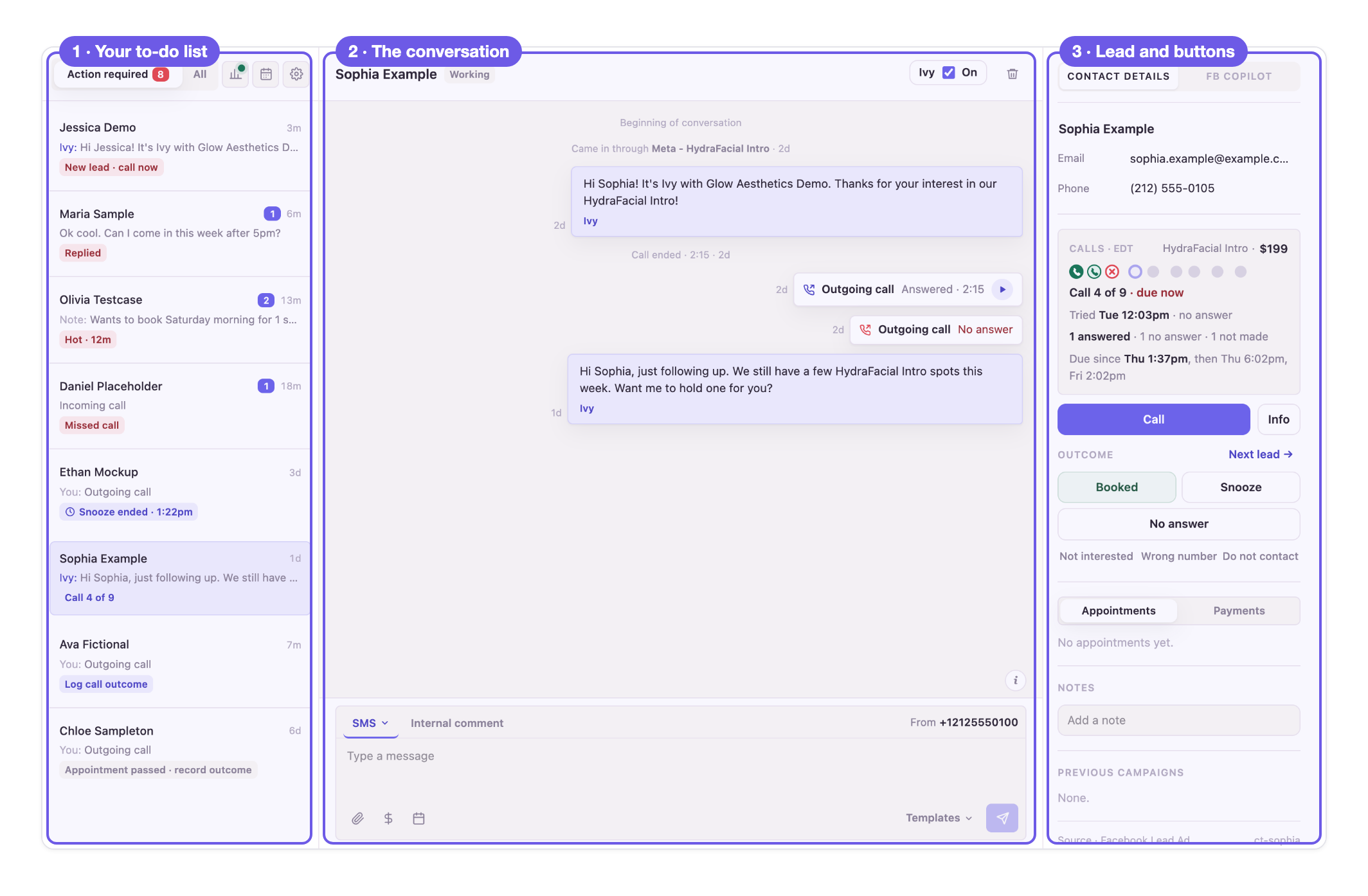
This page contains three columns: your to-do list on the left, the conversation in the middle, and the lead's details and buttons on the right.
Left: Action required
Your to-do list. Every lead here needs a person right now, and the colored label under each name (the pill) says why. Work from the top down only. The All tab next to it lists every lead, for looking someone up.
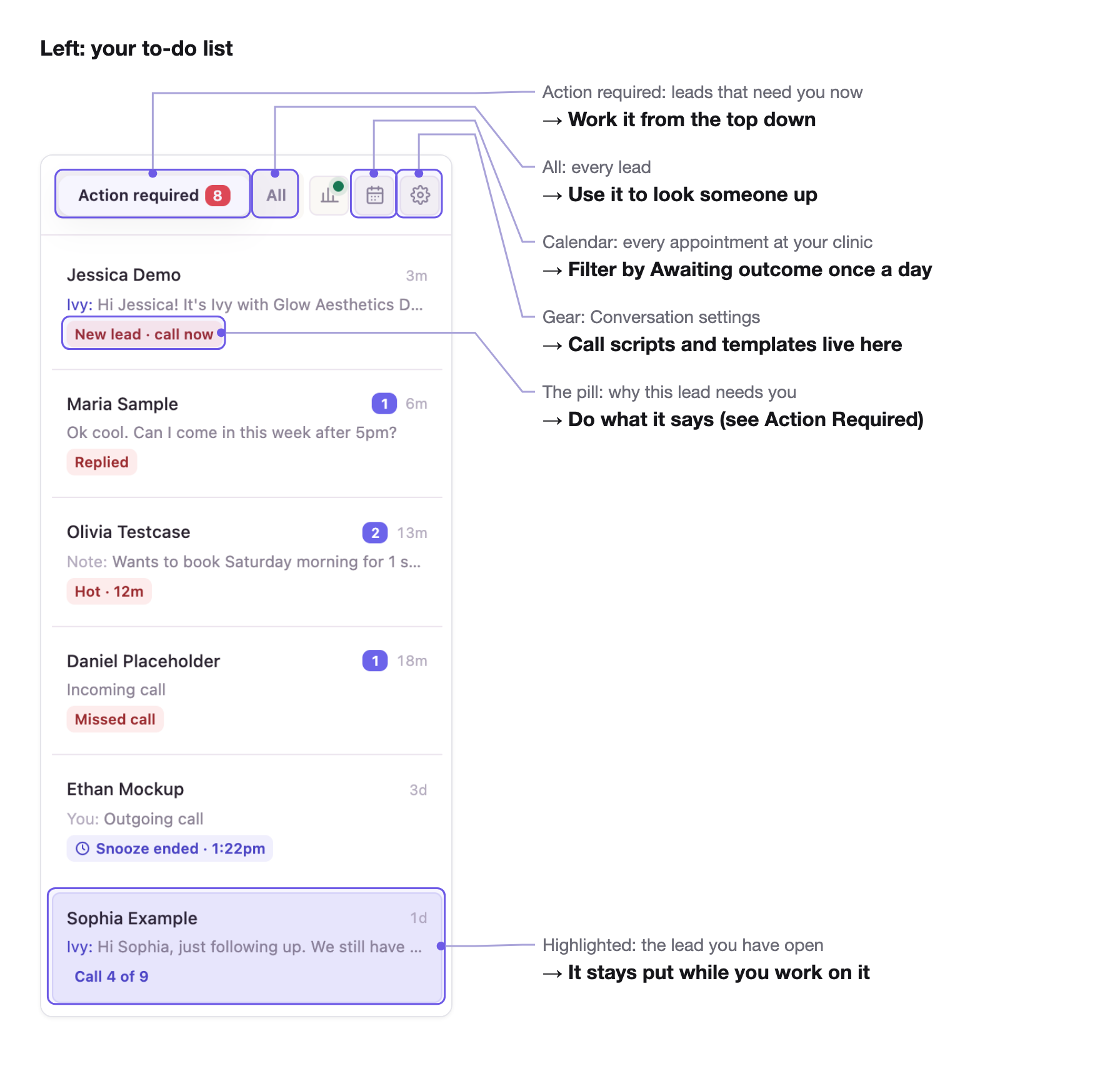
Middle: the conversation
Every text, call and note with this lead in one thread, newest at the bottom.
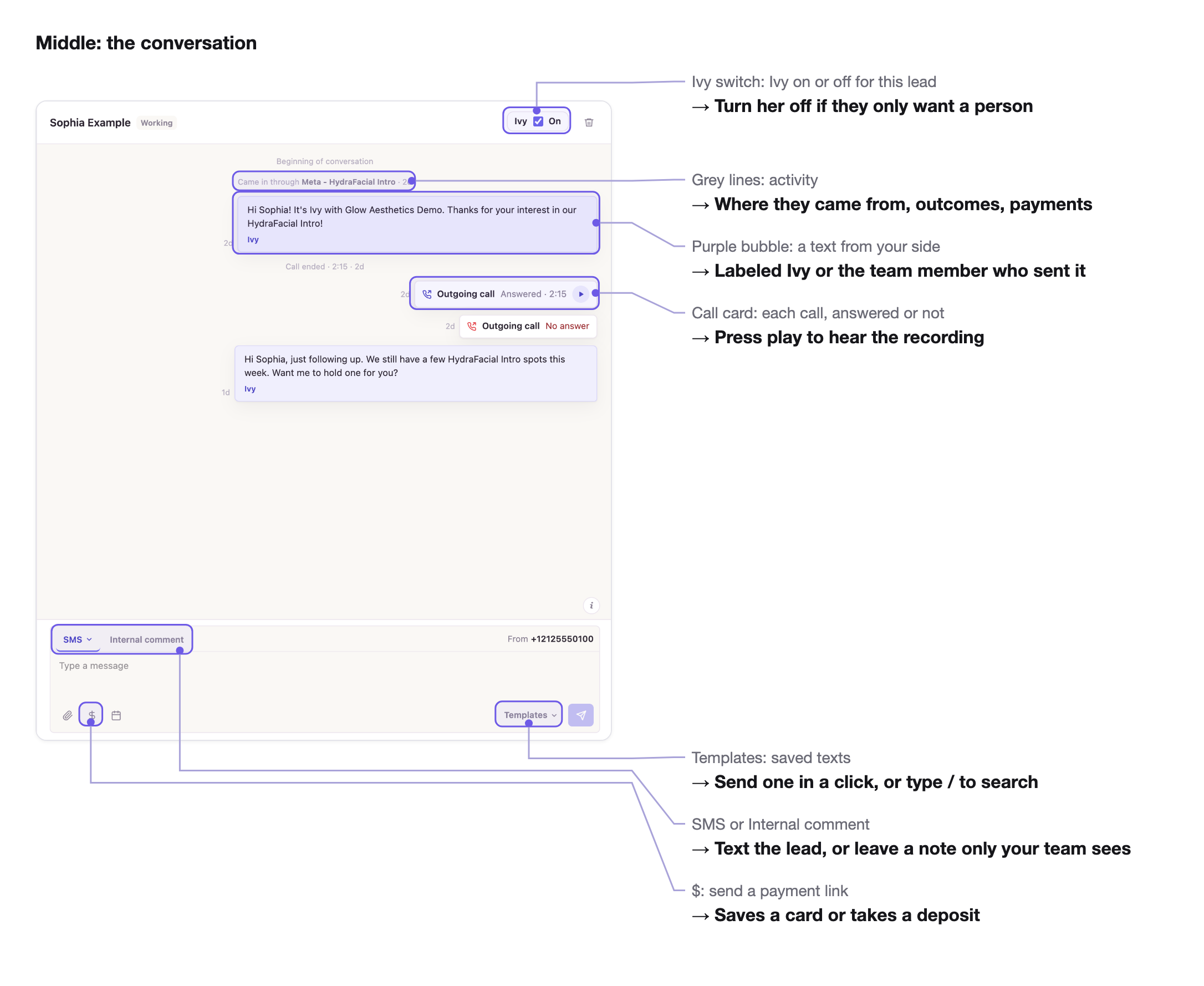
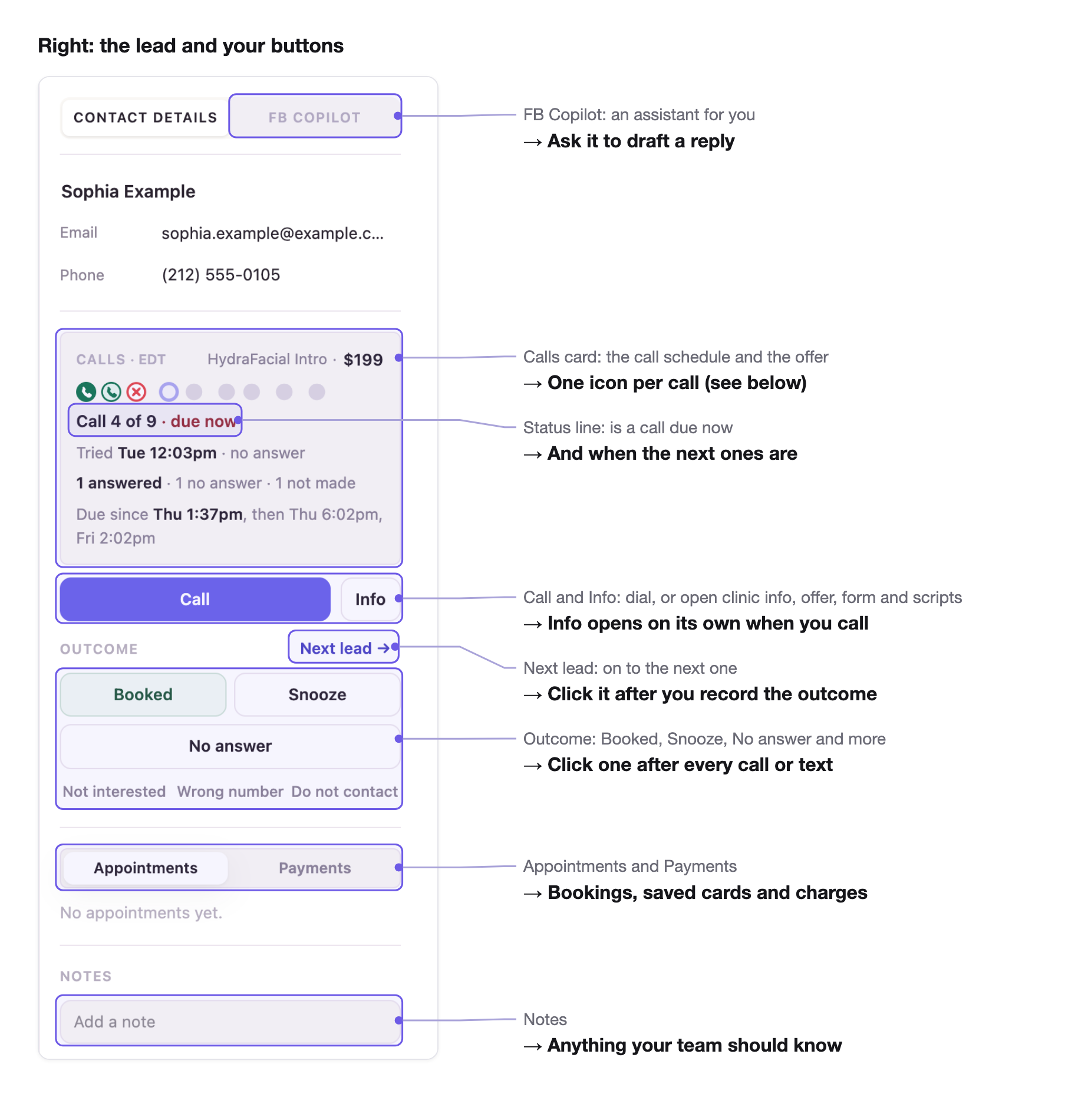
Right: the lead and your buttons
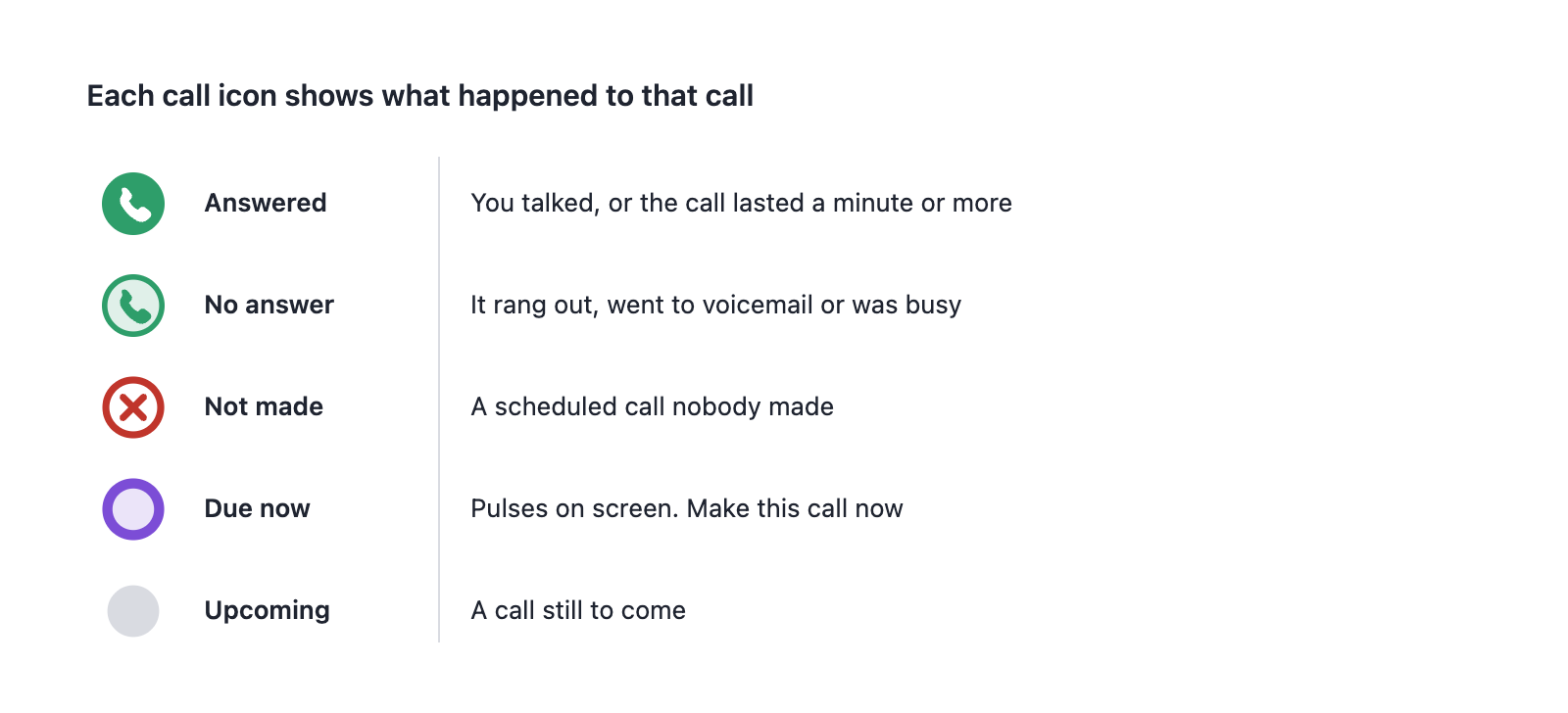
The call icons
Each call in the schedule gets one icon. Hover over any icon to see its time and result.
All times on the screen are on your clinic's clock. The time zone shows next to Calls.
Did this answer your question?
Thanks for your feedback!