
Ad Performance & Optimization
Last updated 2 months ago
How To View Ad Performance
Open Meta Ads → Metrics. Toggle the drop-down to view individual ad metrics.
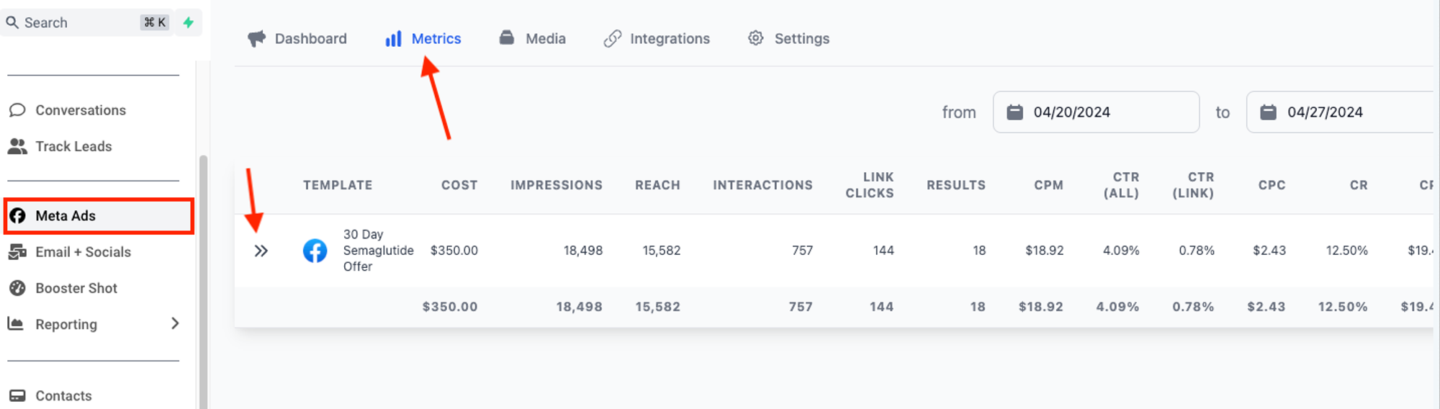
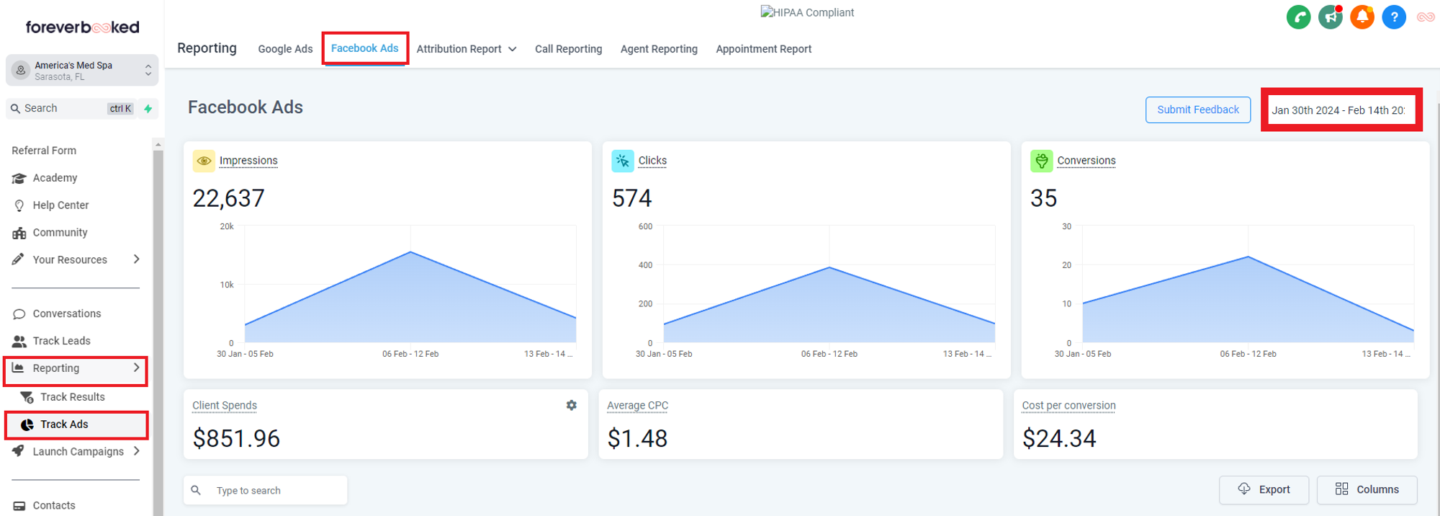
You can also view ad metrics from the Reporting tab. To do that, click the “Reporting” tab in the sidebar, click “Track Ads”, then click “Facebook Ads” in the top navigation bar.
Performance Benchmarks

Low-Performance Diagnosis
Step 1: Review the “What Matters Most Pyramid”
When a campaign is not performing, it is usually due to a low-quality offer.

Step 2: Review your offer (80% of under-performance comes from poor offer construction)
- Are you using our recommended offers?
- Are you using recommended price points?
How close are you to the provided recommendations?
Step 3: Review your media
- Compare your media with our examples
- Is the media following our guidelines?
Troubleshooting Poor Performance
Poor Performance From The Start
The most impactful changes you can make to improve ad performance (in order of importance) are:
- Update/improve the offer, or make it more clear.
- Update media.
- Update ad copy.
- Update audience targeting.
Gradual Decline In Performance
If your ad performed very well initially, but performance has dropped off, here are the easiest ways to boost performance:
- Test new ad media.
- Change the radius of the ads to reach new populations.
- Update the offer.